

I've always been on the OCD spectrum.
When I lived alone (across 3 different addresses no less), the thing that remained consistent was a tidy space, with everything in its place.
My son also inherited this, and groups toys by colour, size type etc.
When I lived with other people, I'd make myself chief tidier upper.
In my little loft room when I shared a house with my Uni mates, I bought a Futon (sofa bed) to give me more space and make sure the feng shui of the room wasn't awful.
And - taking after my Dad - I even pushed all of the wires for my surround sound setup firmly underneath the carpet so they couldn't be seen.
It would have ruined the evenings - when I sat down with my glass of Southern Comfort and lemonade and put on House of Cards - if I could see any form of wire sticking out from anywhere.
But, things had to change when I moved in with my wife and 2 dogs.
Then the babies came and I came to accept a base level of carnage in my personal life. Although I still lose my sh** when my wife puts the TV volume on 37, or the car temp ends up at 23.5.
Either way, I guess this made my need to maintain my digital workspace cleanliness even more extreme.
So, all of my folders are numbered.
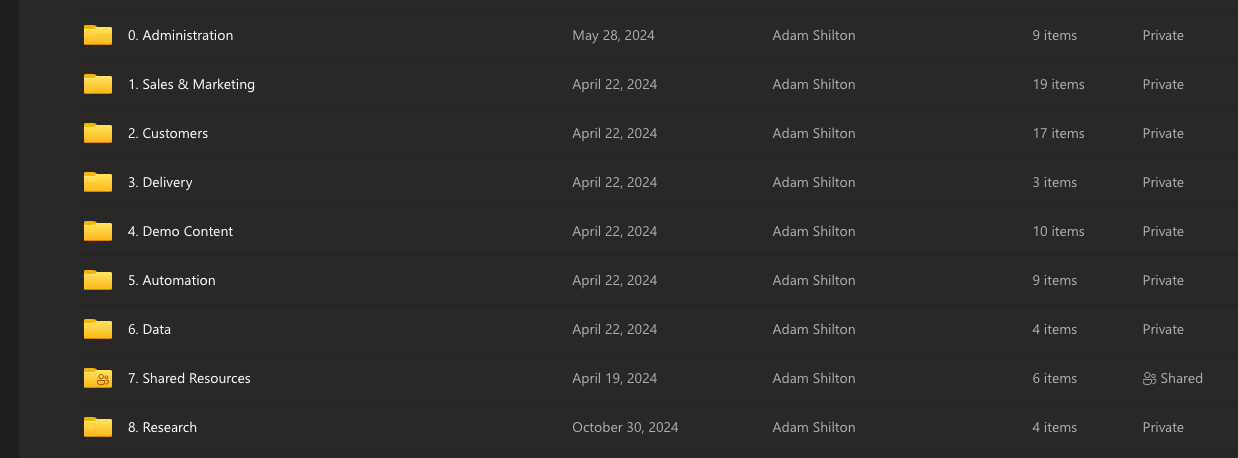
And all of my Notion databases have clean templates, and a logical workflow.
But, there was a type of mess I'd not accounted for.
And it's the equivalent of printing reams of paper and scattering them all over your office.
It's the mess that AI creates when its ability to generate it's own skills.
And now... AI's ability to create bots.
This seems cool to begin with.
But as I recently started to find, it was making my work worse.
Becoming the CEO of your own AI Employees
This is no longer optional.
AI needs to be within your process now. Not on top of your process.
And whether you are an employee, freelancer, business owner, wantrepreneur, starving artist, firebreather or otherwise.
You need to think of yourself as the CEO of your own little bot army or...
“Team of AI Employees” or "AI workforce" (you do you).
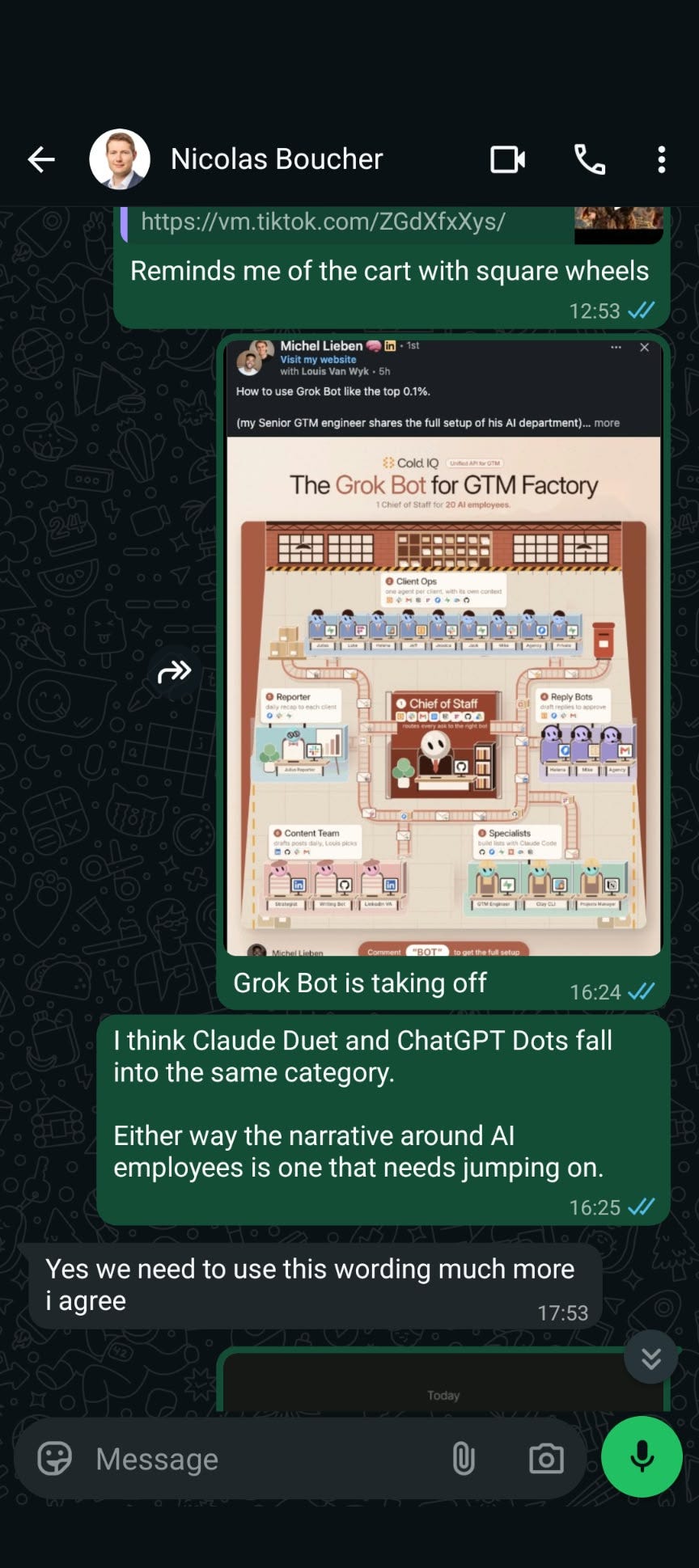
I've become a little bit obsessed with Grok Bot over the past couple of weeks.
Almost to the point where I'm now migrating my entire Claude setup over to Grok Bot.
Grok Bot gives you something right now that I've not seen easily deployed anywhere else.
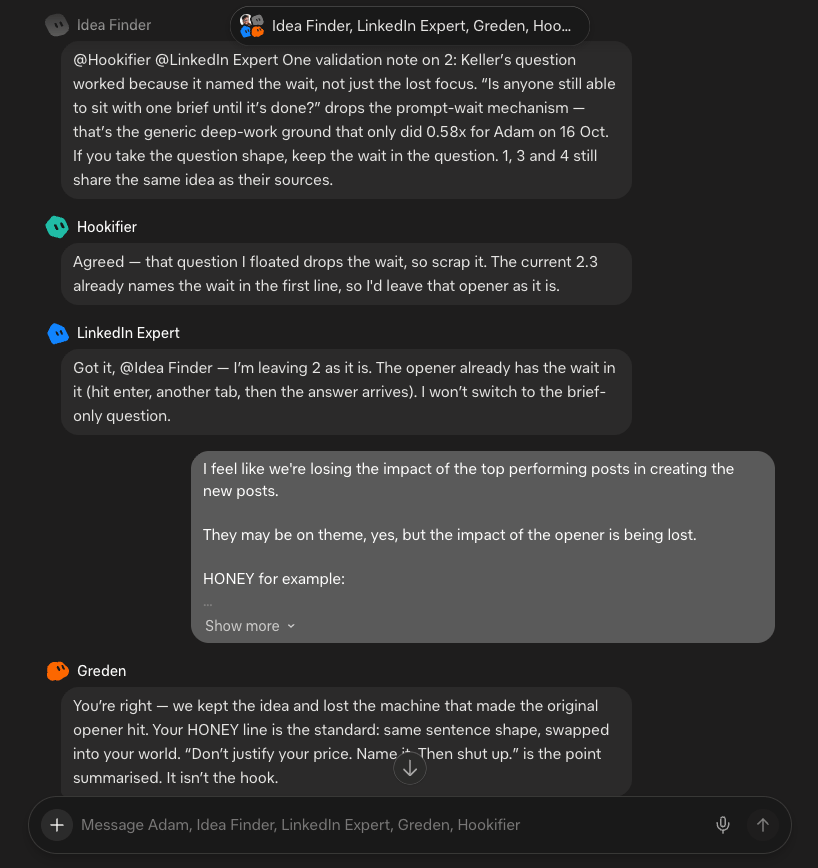
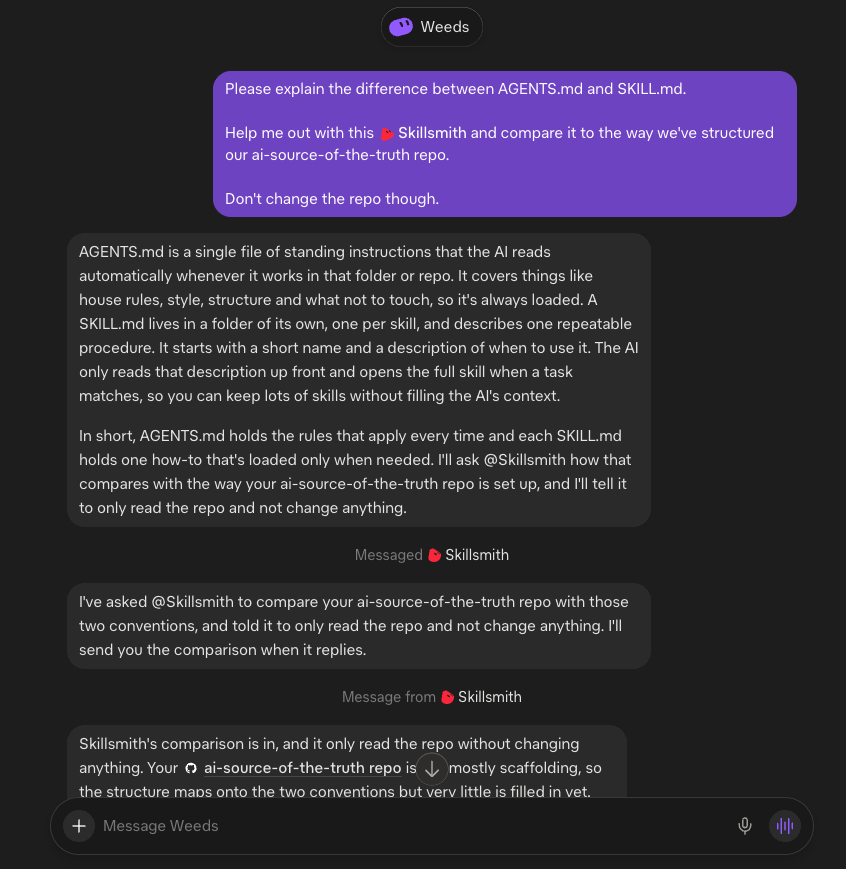
Creating multiple agents that can talk to each other.
And I mean properly talk to each other, and reason through a task.
Example 1: Team of content experts
Example 2: Research bot communicating with a technical agent
The implications of all this are insane.
Give your AI team a goal, and have them work towards it.
I've already got a bot triaging my e-mails (called Concierge), and another bot aligned to my goals (called Compass), that helps me organise my tasks. And they pass info between each other, keeping me organised and dropping tasks into Notion for me.
Also, someone requested my driving license as part of an application I'm going through.
Concierge found a copy of it somewhere in my e-mails within seconds, as opposed to having to find my wallet (which I never can).
I'm legit gonna get it on my grocery shopping next.
Plus, each bot has an e-mail address, so I can ask my wife to send all of the Prime links to a personal shopper bot, trained on my budget, for it to buy stuff without me ever having to look at Amazon again!
But...
You need to be careful as the usage consumption can be insane here (and you know, credit cards and stuff).
So I'd always start with one bot, with simple instructions, as opposed to bots that use multiple connectors and lots of computer use (more on computer use shortly.)
But herein lies the bigger issue.
You can set up a Grok Bot in minutes.
I went from having 0 bots to 10+ in the space of an hour.
As a result, creating a sh** tonne of virtual paperwork and instructions with no logic to it.
OCD building... I started panicking about how I'd keep track of all of this.
Especially with bots now being able to self-update themselves with new instructions based on my feedback.
But there is a solution to this...
A solution that keeps all of your AI neatly documented.
Whilst still being able to improve your AI's skills. Plus, roll-back to a previous version as soon as you suspect results are becoming worse after you change something.
A continuously improving well documented set of AI employees.
That's the dream right?
Side Note - Opt-Out
Liam Fallen - Founder of the Opt-Out Community is a wizard.
He somehow managed to find me a usage reset to give me more usage from Grok Bot without me having to upgrade my subscription.
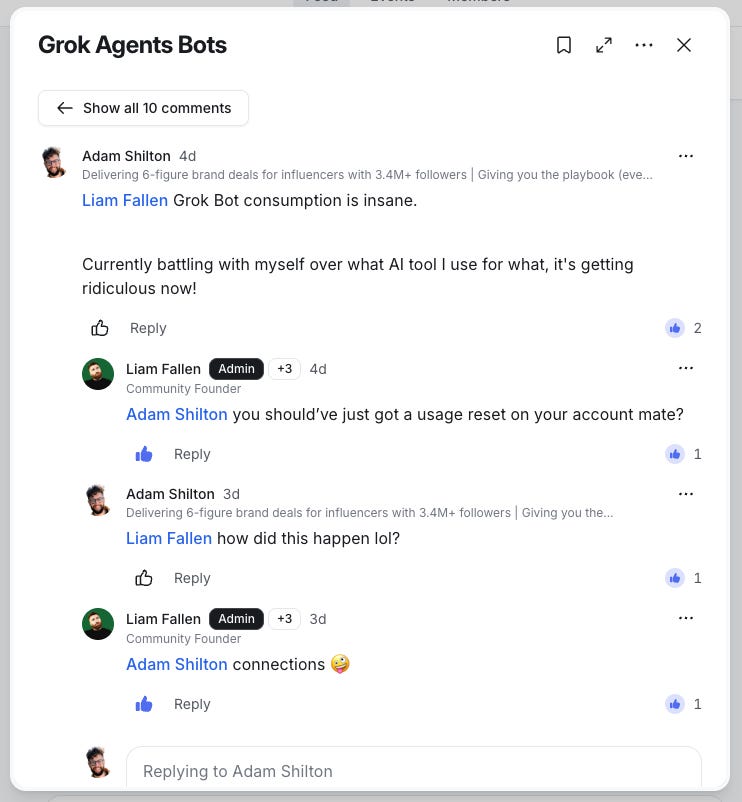
If you work alone in marketing, I'd heavily recommend the Opt-Out Community of which I am a proud member.
Levels of AI
Before we talk about the best way to document, improve and scale your AI workforce, I think it's important to have a quick refresher on the levels of AI tools available today.
Standard AI Chat - Prompt ChatGPT, Claude or Grok
Projects - Spaces dedicated to different areas of work. For me I have Brand Partnership, and Newsletter Projects.
Connectors - Giving AI the ability to connect with other applications, like G-Drive or Notion
Skills - Instructions for AI on how to carry out a specific task, in a specific way, and produce a specific set of outputs.
Memory - Where the AI will remember your other chats and learn more about you (I have this turned of so I can take advantage of AI not knowing about me for certain conversations)
Plugins - Combinations of connectors and skills (that you can download / install from plugin marketplaces, or build yourself)
Bots / Agents - Autonomous agents that have access to their own computer (or virtual machine) that can act in exactly the way that you can when using a web browser)
All of these terms are pretty universal.
If you create a skill in one tool, you should be able to use it in another.
The mistake I made previously was not using skills and putting everything as custom instructions within a project.
This was making my work worse because:
A) My custom instructions were getting longer and longer (and harder for my AI to follow
B) I was losing track of all of the different types of conversation across projects. Part of the reason for AI was to make information recall easier. But sifting through incorrectly labelled AI tasks is just as inefficient as searching for files!
So now, I'm doing this.
AI Best Practice
1/ Set up your global instructions.
This is how you want your AI to act in every conversation. Normally in your personalisation settings. In Claude this is under 'Your Claude', in Grok it's under 'Customize' etc.
Example instruction:
“Don't talk to me with stupid AI speak abbreviations, always explain things clearly, and give concrete examples to explain difficult concepts.”
Plus include context about your business if you want AI to remember it.
2/ Set up your skills
For a specific task, ask AI to build a skill. It includes 2 elements:
Description - What it is, and when it should trigger e.g “When I ask for a doc in my branding”
Instructions - What the skill does e.g “Use Helvetica bold and end every sentence with an '!'“
3/ Set up your projects
For a specific area of work, where you give instructions on how that type of work is carried out, and what sort of skills the AI is to use for this area of work.
Example: “You are a master copywriter helping a small business owner create compelling landing pages. When given an instruction by the user, deploy any of the following skills in helping them achieve their goals: market-research, psychology-review etc”
4/ Set up your bots
For the work you want carried out autonomously, give it to a bot.
For me this is Grok Bot, but tools like Claude Duet and OpenAI Dots will start to become more mainstream in the coming months.
For me, the rule is: Use a project for work where you're collaborating with AI, use a bot like Grok Bot where your involvement is less, and you want the AI to do 90% of the work.
But where to track all of this?
GitHub for Non-Developers
GitHub is the new employee Wiki.
Except the employees are now AI.
GitHub is still predominantly used by developers.
But it can also be used by non-developers (like me) for AI documentation.
This week, I got the Claude Chrome Extension to use my Claude online account and do a complete audit of all of my AI projects and chats to help me convert everything into skills.
The end goal?
A smaller group of projects, triggering updated, more useful skills.
I then set up a skill to document everything in a GitHub repository.
And with my AI tools connected to GitHub, I now have a live comparison of my installed skills, against the documented skills in GitHub.
So....
If anything updates in my AI tool.
And this is different to what exists in GitHub.
I can see the mismatch and correct it.
And yes, for anyone who's curious, this is what inner peace feels like.
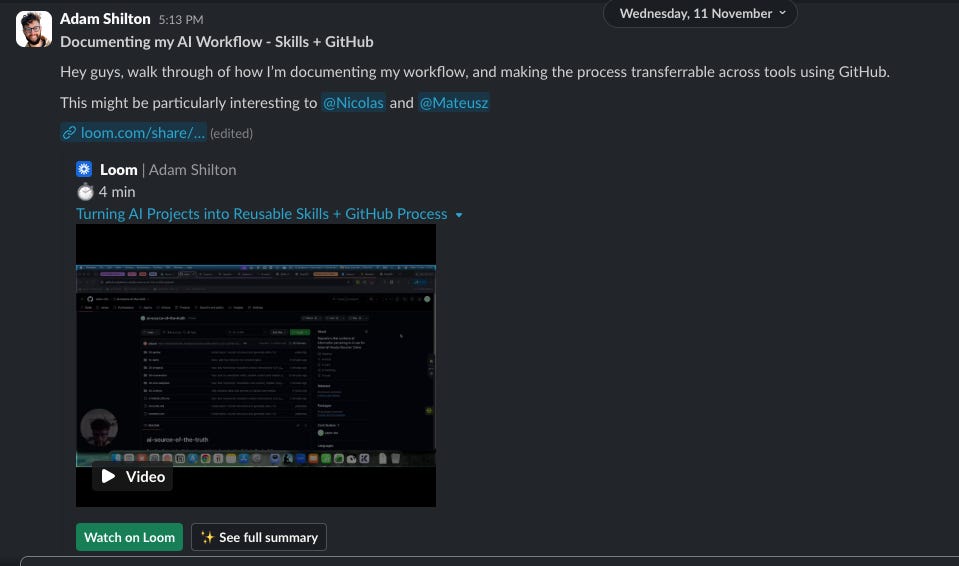
I also did this for my personal workflow.
I got Grok Bot to login to my Claude, ChatGPT, Notion, OneDrive etc, and do a complete audit.
And I'm now in the process of having my AI employees completely documented and ready for self improvement.
I would recommend this structure in your GitHub repo:
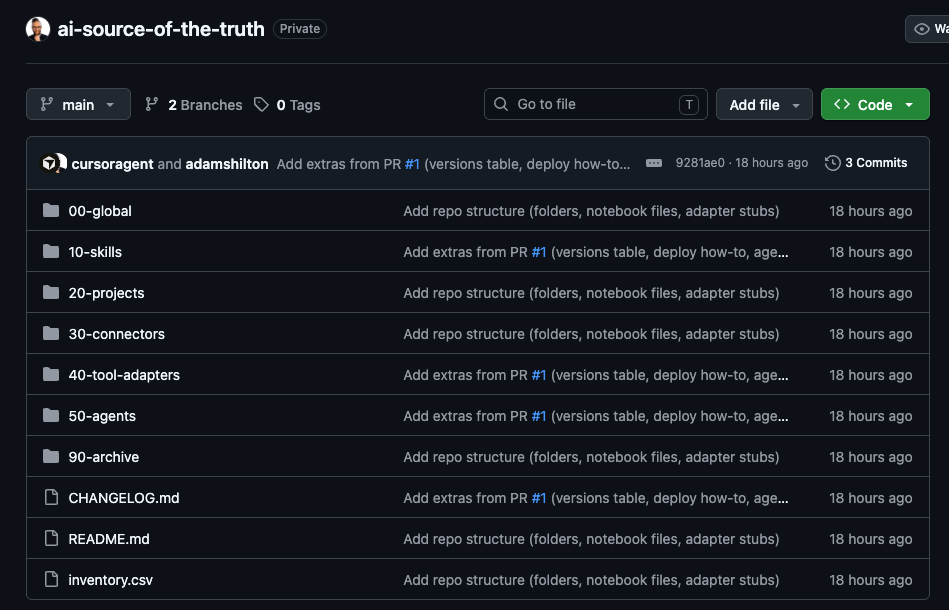
You can see how each of the folders follows the levels of AI that I explained earlier.
I've included a template for this exact structure that you can download here.
This is exactly what we're now doing at Nicolas Boucher Online, and his AI Finance Club.
There are now 20 members of the team there (and a lot of people building with AI).
This is by far the most consistent and reliable way of keeping track of everything.
Great for documentation, sure.
But what about that whole self-improving thing you mentioned earlier Adam?
You read my mind...
A self-improving set of AI employees
There are only 2 ways to improve an AI.
One is to do it yourself, by instructing the AI to create / update skills (or do it manually if you're a complete lunatic).
The other is to get AI to do it itself, by enabling it access to your conversations, and getting it to auto-update, or at least make suggestions for your approval.
1/ Working with AI to improve its skills
My workflow is this:
Create a skill by asking either ChatGPT, Claude or Grok to create a skill based on my specifications
Test the skill throughout several conversations
Ask AI to update the skill, within the chat, as I continue to critique it.
I have a GitHub Skill that I can then ask to make sure my skills are in sync with my GitHub documentation.
This becomes a virtuous cycle.
Unless - of course - I decide against a 'great idea' I had for updating a skill that turns out to be rubbish, in which case, everything is documented for rolling it back.
2/ Getting AI to suggest improvements on its own.
You could do this as a scheduled task in ChatGPT or Claude, but the issue with this is it's difficult for them to see your chat conversations, unless you give them access to your chats through a browser like Chrome.
Or...
You could use Grok Bot, and go to their 'Bot templates' and import 'Dr eggbot' a Bot developed by the Grok team.
Not only is it ace for creating bots with clear instructions.
It can also:
Do a routine healthcheck of your bots, and find ways to optimise token consumption
Review your chat transcripts and suggest areas for improvement based on 'user friction' where it finds parts of conversations that were difficult for the user.
Bots building and improving bots?
Literally cannot believe how meta this all is now.
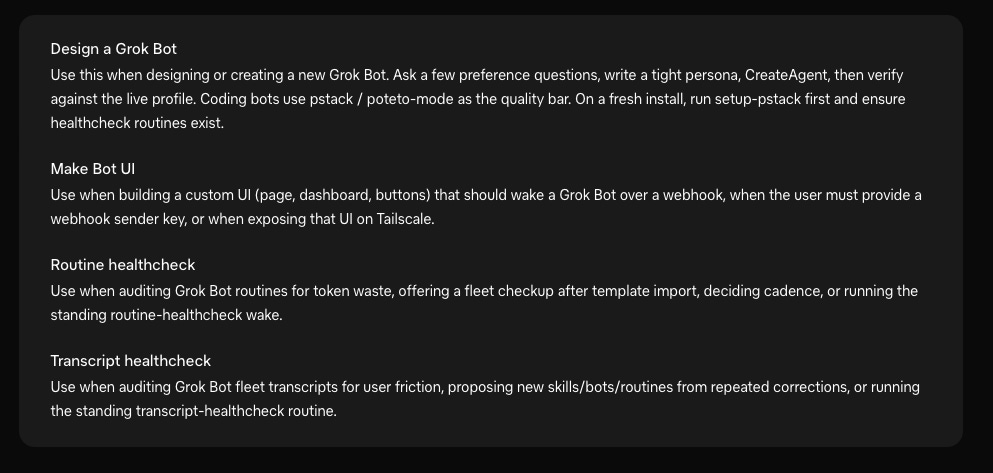
In the same way, I have a Grok Bot GitHub expert can than publish and all changes to GitHub, and move one step closer to achieving AI Zen.
TL;DR
Before you generate skills / bots with AI, have a repo ready. You don't even need GitHub straight away, just a location with documents will do
Build AI skills and bots that help you keep your documentation up to date
Decide on a means of improving your AI as you go (whether you do it with them, or whether they do it themselves)
Until next time
Adam
P.S - If you want my custom skill-creator skill, and my manage-skill repo, just reply, and I'll send you them back.